Bring your document
Choose a PDF, photo, CSV or HTML file. Scan a document with the camera, or enter results manually.
YOUR HEALTH. YOUR OWN HISTORY.
Bring your documents together, verify the values and keep your lab history in one place. Calm, clear and on your own iPhone.
iPhone · iPad · iOS 17+
01 / FROM DOCUMENT TO HISTORY
One local home for documents from different places. Automatic recognition helps you start — you decide whether the saved values are correct.
Choose a PDF, photo, CSV or HTML file. Scan a document with the camera, or enter results manually.
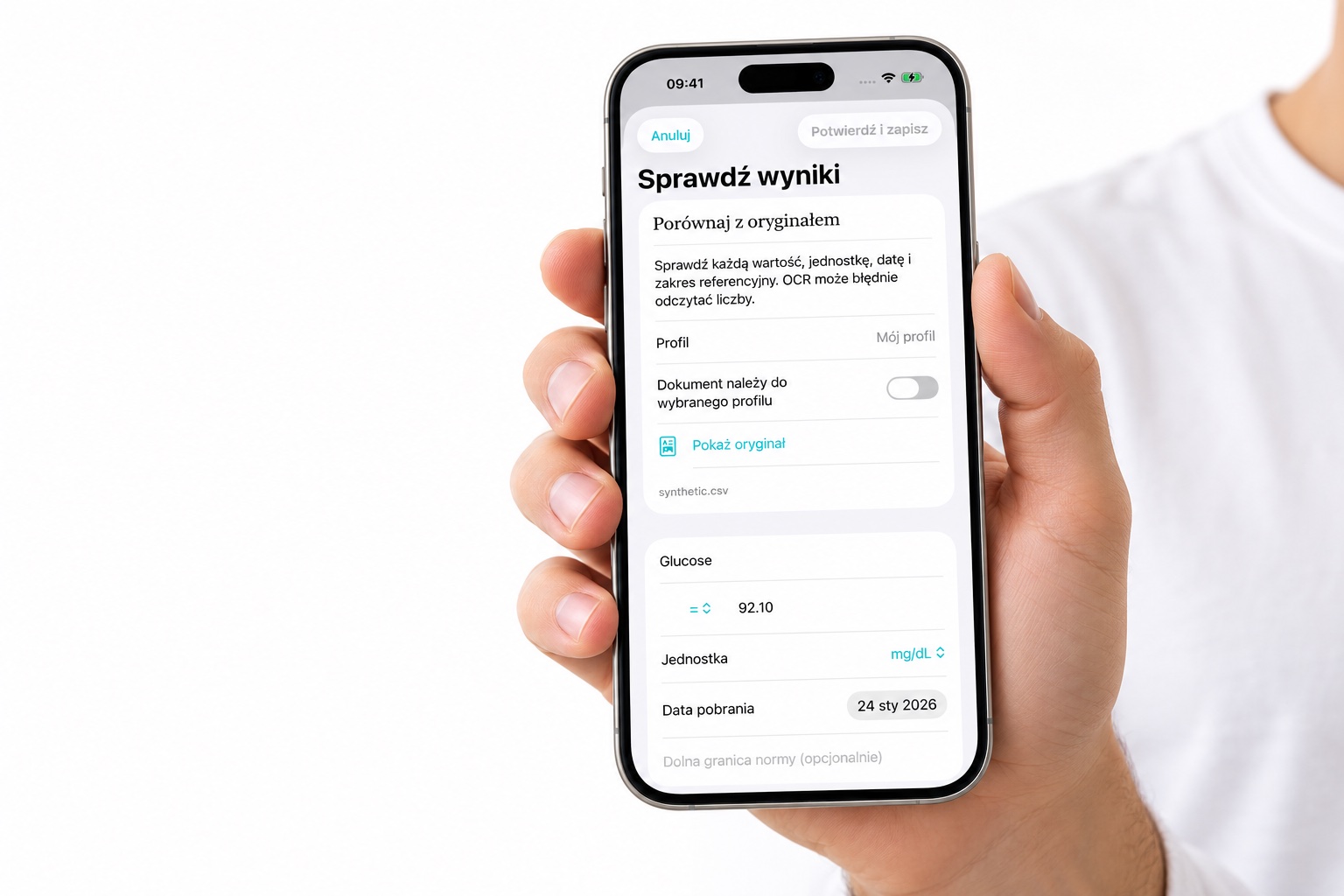
Compare the transcription with the original. Correct the value, unit, collection date and laboratory range. Confirm whose result it is.
Revisit results, search your history and view trends in matching units. Separate profiles help keep documents with the right person.
Local processingImport, text recognition and history run inside the app. We do not operate a server for your laboratory results.
Device protectionFiles use iOS data protection. You can enable an app lock using Face ID, Touch ID or your device passcode.
Export is your choiceData leaves the app when you explicitly export it. The database has no automatic cloud backup — keep your originals.
03 / IN YOUR LANGUAGE
04 / GOOD TO KNOW
No. HealthFold organizes data and shows its history. Reference ranges come from the document; the app does not diagnose conditions or suggest treatment. Discuss concerning results with a clinician.
Documents are not sent to a recognition server. Text recognition runs on the device. Available OCR languages depend on iOS, and every transcription needs your review.
This version does not sync its database to the cloud and excludes it from automatic backups. Keep your originals and explicitly export needed data to a safe location. Deleting the app removes its local data.
The current version does not write laboratory documents to Apple Health. Apple clinical records are read-only. FHIR export is a collection of user-transcribed data, not a signed SMART Health Card.
Explore the guide to importing, reviewing and organizing results.